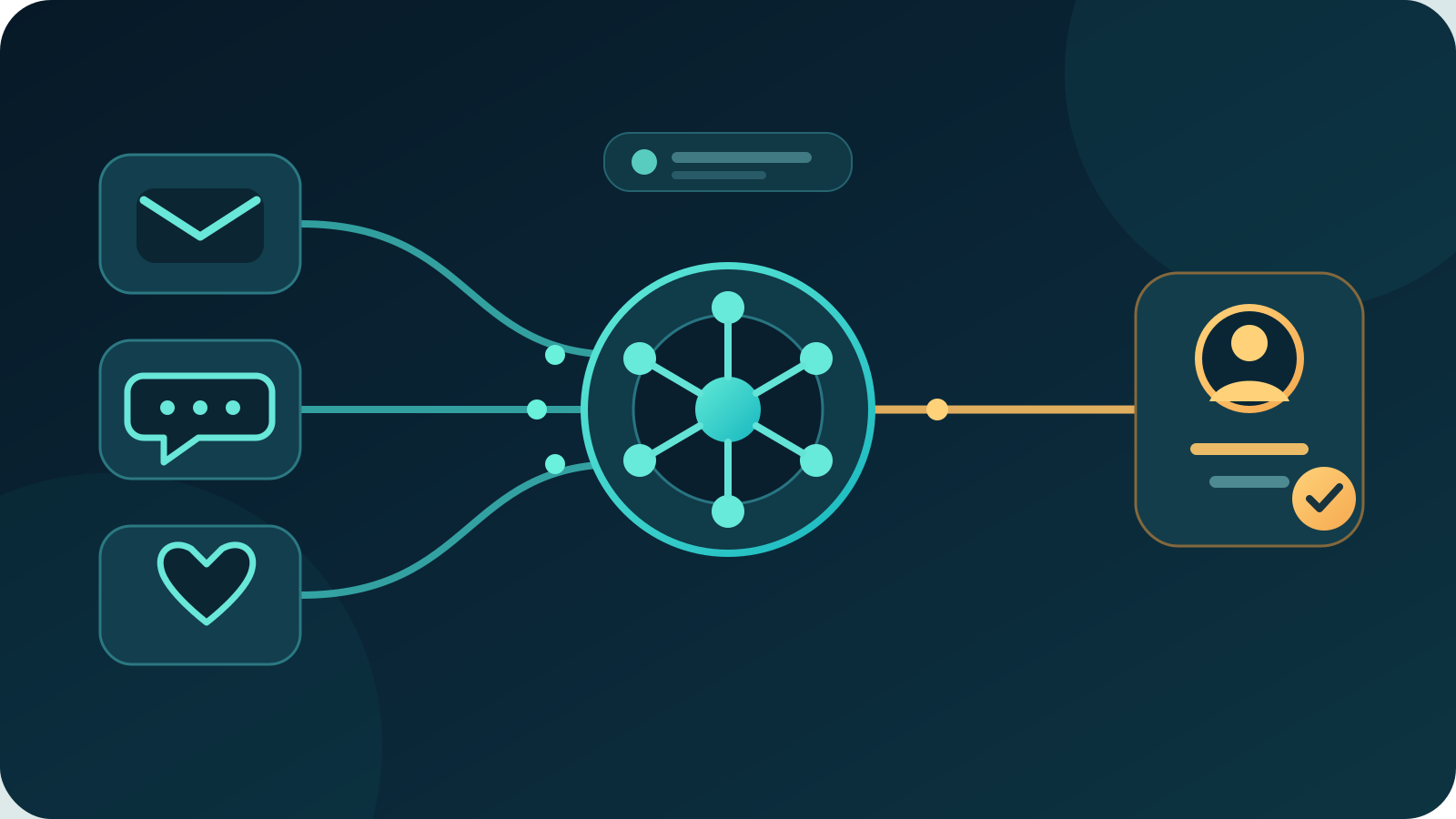
AI for customer service helps teams classify enquiries, find approved information, draft replies, summarise conversations and route cases to the right person. The safest and most useful starting point is an assistant for staff, not an unsupervised bot that can promise refunds, change accounts or answer from unreliable information.
For most Australian businesses, the best first project is support triage and reply drafting. It tackles repeated work, keeps a person responsible for the final answer and can be measured through response time, correction rate, repeat contact and customer satisfaction.
Key takeaways:
- Start with one repeated service queue and one trusted knowledge source.
- Let AI classify, retrieve and draft before giving it authority to act.
- Send complaints, vulnerable customers, financial decisions and unusual cases to a person.
- Tell customers when they are dealing with AI and make human help easy to reach.
- Measure correct resolutions, not just fast replies or deflected contacts.
Contents
- What does AI for customer service mean?
- Where can AI help a customer service team?
- What is the best first AI customer service project?
- Which enquiries should AI handle?
- When should AI hand a customer to a person?
- What data does customer service AI need?
- How do privacy and transparency apply in Australia?
- How do you run a controlled pilot?
- How should you measure AI customer service?
- What does AI customer service cost?
- When is AI the wrong choice?
- Frequently asked questions
What does AI for customer service mean?
AI for customer service means using software to interpret customer enquiries, retrieve relevant business information, prepare answers or recommend the next action. It can work across email, chat, contact forms, messages, support tickets and phone transcripts.
The term covers several different jobs:
- Classification identifies the topic, urgency, customer and likely destination.
- Information retrieval finds the current policy, product detail or account record needed to answer.
- Generative AI prepares a reply, summary or internal note.
- Conversational AI exchanges messages with a customer through chat or voice.
- Quality analysis reviews conversations for missing steps, recurring issues or coaching needs.
- Prediction estimates which cases may escalate, repeat or breach a service target.
These jobs carry different risks. Sorting a message into the delivery queue is not the same as deciding a refund or changing an account. Treat each capability as a separate workflow with its own data, permissions and approval limits.
Research provides a useful reason to begin with staff assistance. A National Bureau of Economic Research study of 5,179 customer support agents found that access to a generative AI assistant increased issues resolved per hour by 14% on average. The gain was 34% for novice and lower-skilled workers, while experienced and highly skilled workers saw minimal impact. The lesson is not that every support tool produces the same result. It is that AI can be most valuable when it helps people find and apply proven answers.
Where can AI help a customer service team?
AI is useful when enquiries vary in wording but the answer or next step can be checked against a reliable source.
| Customer service task | Useful AI contribution | Human responsibility |
|---|---|---|
| Inbox triage | Identify intent, urgency and the right queue | Review uncertain or high-impact routing |
| Reply drafting | Combine approved facts into a first draft | Confirm accuracy, tone and any commitment |
| Self-service | Answer narrow questions from current content | Maintain sources and review failed answers |
| Case summaries | Turn a long thread into a structured handover | Check key facts before relying on the summary |
| Agent assistance | Suggest an article, checklist or next step | Choose the action and explain exceptions |
| Quality review | Flag missing disclosures or repeated friction | Investigate the original conversation |
| Trend analysis | Group recurring reasons for contact | Decide whether the cause is product, process or policy |
| Follow-up | Prepare status updates or survey messages | Set the trigger, audience and sending rules |
A chatbot is only one option. Many businesses get a safer first result by improving the staff workflow behind the scenes. Customers still speak with a person, while the service team spends less time searching, copying and summarising.
AI customer service also differs from an AI receptionist. A receptionist focuses on answering calls, capturing details and routing contact. A customer service system works with an existing relationship, case history, products, orders and policies to help resolve an issue.
What is the best first AI customer service project?
For most businesses, the best first project is triage and reply drafting for one high-volume queue. Keep the system in draft mode while staff compare its suggestions with the source record.
A controlled workflow can:
- receive a new email, form or support ticket
- identify the customer and classify the enquiry
- retrieve the relevant approved policy and account facts
- prepare a reply with links to its sources
- flag missing information or conflicting records
- send complaints, unusual cases and restricted actions to a person
- wait for a team member to approve or edit the answer
- record the outcome for review
Choose a queue with repeated enquiries, reliable source information and a clear owner. Delivery updates, appointment changes, basic product questions and document requests are often better candidates than disputes, account security or financial decisions.
Score possible projects against four factors: monthly volume, current handling time, source quality and consequence of error. Frequent work with a quick review path and contained downside should come first.
Do not begin with “automate 80% of support”. That target rewards deflection even when customers return because the first answer was wrong. Begin with a specific problem such as “reduce the time to prepare accurate delivery-status replies without increasing repeat contact”.
Which enquiries should AI handle?
AI should handle enquiries where the source is current, the outcome is reversible and the system can recognise when information is missing.
Good early candidates include:
- opening hours, locations and service areas
- order or job status retrieved from an approved system
- standard document and invoice requests
- published product or service information
- appointment availability and change requests within fixed rules
- delivery, returns or warranty information quoted from current policies
- case classification, tagging and internal summaries
Even these tasks need boundaries. Before showing account or order details, verify the customer using the business's normal process. Do not let a model infer identity from a name, email signature or confident language.
A useful answer should point back to the source that supports it. If the order system and support note disagree, the AI should stop and ask a person to resolve the conflict. It should never choose the most convenient fact.
For outbound replies, draft mode is the sensible default. Move a narrow answer type to automatic sending only after a representative test shows a low correction rate, reliable identity checks and a safe failure path.
When should AI hand a customer to a person?
AI should hand a customer to a person when the outcome needs judgement, empathy, negotiation or authority that the system does not have.
Set explicit escalation triggers for:
- complaints, threats, legal claims and requests for compensation
- vulnerable customers or signs of distress
- safety issues, discrimination or harassment
- disputed charges, refunds, cancellations and account restrictions
- suspected fraud or identity uncertainty
- repeated contact about the same unresolved problem
- missing, stale or conflicting business records
- requests outside the published policy
- high-value customers or cases above an agreed threshold
- any customer who asks for a person
Handover quality matters. Give the service agent the original conversation, verified customer details, a short summary, the source records used and the reason for escalation. Do not make the customer repeat the whole story because the AI and human systems are disconnected.
Make human help visible. A chatbot that hides the escalation path may reduce measured contact volume while increasing frustration and complaints. The right goal is a correct outcome with an appropriate amount of human involvement.
What data does customer service AI need?
Customer service AI needs approved answers and the minimum customer data required for the task. It does not need unrestricted access to every system.
Map the sources before selecting a tool:
- Knowledge: Which policies, product facts and procedures are approved for customer answers?
- Customer identity: How is the requester verified before account information is disclosed?
- Case history: Which past contacts are relevant, and how long should they remain available?
- Operational status: Which system owns the current order, booking, job or delivery state?
- Permissions: Can reading, drafting, sending, refunding and changing an account be separated?
- Freshness: Who updates each source and how quickly does a change reach the assistant?
- Logging: Can the business see what information was retrieved, what answer was produced and who approved it?
A knowledge base should have an owner, review date and version. Remove duplicate or expired policies before connecting AI. If two documents give different return periods, a model cannot safely repair the governance problem.
Limit each integration to the fields and actions needed. An assistant drafting delivery updates may need a customer name, order number, carrier event and approved delivery policy. It does not need full payment details, staff payroll or the ability to export the entire CRM.
Our AI workflow automation guide explains how to map triggers, sources, approvals and exception paths before software selection.
How do privacy and transparency apply in Australia?
Australian businesses should identify public-facing AI, limit the personal information it receives and explain how customer data is handled.
The Office of the Australian Information Commissioner says privacy obligations apply to personal information entered into an AI system and to AI output containing personal information. Its guidance recommends due diligence, privacy by design, human oversight and clear identification of public-facing AI tools such as chatbots. As a matter of best practice, the OAIC advises organisations not to enter personal information, especially sensitive information, into publicly available generative AI tools.
That means a business should ask:
- What personal information enters the system?
- Is each field necessary for this service task?
- Where is the information stored and processed?
- Is it used to train the provider's model?
- Who can access prompts, replies, logs and recordings?
- How long is information retained?
- How can a customer access, correct or remove relevant information?
- What happens when the contract ends?
Transparency also affects trust. Salesforce's 2026 connected-customer research reports that 72% of surveyed customers said it was important to know if they were communicating with an AI agent. The same page reports that 71% felt increasingly protective of their personal information. Tell people when AI is responding, describe its purpose plainly and provide a way to reach a person.
Review consumer-facing answers as business communications. The ACCC explains that consumer guarantees cannot be taken away by what a business says or does. An AI reply should not invent a policy, deny a right or make a commitment the business cannot keep.
How do you run a controlled pilot?
Run the AI beside the current process before it answers customers or changes records on its own.
- Define one workflow. Record the trigger, allowed sources, expected output, reviewer and prohibited actions.
- Measure the baseline. Capture volume, response time, resolution time, repeat contact, corrections and customer satisfaction.
- Clean the sources. Remove expired policies, duplicate articles and unclear ownership.
- Build a test set. Include routine questions, misspellings, missing details, conflicting records, angry customers and identity failures.
- Start read-only and draft-only. Prevent sending, refunds, account changes and commitments.
- Review every output. Record factual errors, wrong routing, weak tone, unnecessary escalation and unsafe suggestions.
- Test failure. Remove a source, revoke access and confirm the system stops safely.
- Train the team. Show staff what the tool can do, what it cannot do and how to report a problem.
- Expand one permission at a time. Require evidence before changing the boundary.
The Australian Government's Voluntary AI Safety Standard sets out 10 guardrails for organisations across the AI supply chain. For a service pilot, apply them in practical terms: name an accountable owner, assess risk, control data, test the system, preserve human control and give customers a way to question an outcome.
Keep the manual process available during the pilot. Staff need a safe way to continue service when the model, integration or vendor is unavailable.
How should you measure AI customer service?
Measure whether customers receive correct resolutions with less avoidable work. Speed alone is not enough.
| Measure | What it tells you | Watch for |
|---|---|---|
| First-response time | How quickly a customer receives an initial answer | Fast acknowledgements that do not resolve anything |
| Resolution time | Time until the issue is actually closed | Cases closed early and reopened later |
| First-contact resolution | Share resolved without another contact | Incorrect answers counted as resolved |
| Repeat contact | Customers returning about the same issue | Deflection that shifts work to another channel |
| Draft correction rate | How often staff change a suggested answer | Small edits mixed with serious factual errors |
| Escalation rate | Cases handed to a person | Too many weak handovers or too few high-risk escalations |
| Customer satisfaction | Customer view of the completed interaction | Survey bias and low response volume |
| Quality score | Accuracy, policy use, tone and required steps | Averages hiding severe individual failures |
| Cost per resolved case | Full cost of a correct outcome | Excluding review, integration and maintenance work |
Review results by enquiry type. An overall score can look healthy while one category, such as cancellations or warranty questions, repeatedly fails.
Set stop conditions before launch. Pause the system if it exposes information to the wrong person, invents material facts, denies valid escalation, acts outside its permissions or repeatedly misroutes high-risk cases.
The clearest operational test is simple: are correct resolutions increasing without worse customer satisfaction, repeat contact or risk? If not, the AI is moving work rather than improving service.
What does AI customer service cost?
AI customer service cost includes software, model usage, integration, data cleanup, testing, staff review, training, monitoring and support. A low monthly licence can still be expensive if the knowledge base is poor or every draft needs substantial correction.
Price one narrow workflow before estimating a whole service operation. Include:
- setup and connection to existing systems
- per-user, per-conversation or model charges
- knowledge-base cleanup and ongoing ownership
- identity, permission and audit controls
- staff review during the pilot
- quality testing and incident handling
- vendor management and exit work
Compare that total with a measured baseline. If the system saves three minutes on 2,000 suitable cases each month, the gross time opportunity is 100 hours. Then subtract review, exception handling, maintenance and new work created by errors. Do not turn gross time into a dollar saving unless the business can explain what that capacity will replace or enable.
For a small team, better templates, clearer policies or ordinary rules may produce a faster return. AI is justified when varied language or context makes fixed automation inadequate and the result can still be checked.
When is AI the wrong choice?
AI is the wrong first step when service information is inconsistent, case ownership is unclear or the business cannot measure a resolved enquiry. Fix the operating process before automating it.
Use ordinary automation for fixed rules. A form can route a selected topic, a booking system can send a reminder and a help centre can display a known policy without asking a language model to interpret anything.
Do not use AI to hide inadequate staffing or make human help inaccessible. Do not connect a public chatbot to sensitive records without strong identity controls. Avoid automatic decisions where a wrong answer could materially affect a customer's money, safety, rights or access to a service.
A good test is whether the team can describe the source, boundary, reviewer and failure path in one page. If it cannot, the workflow is not ready.
Where should an Australian business start?
Review one month of service enquiries. Group them by reason, handling time, repeat contact and risk. Choose one repeated category with a reliable source and a straightforward review path.
Start with staff-facing triage and drafts. Measure corrections and resolved outcomes for several weeks, then decide whether any narrow answer is safe to send automatically. Keep complaints, exceptions and material decisions with people.
Deployed AI provides managed AI systems for Australian businesses, including selected integrations, setup, team training and ongoing Australian support. To assess one customer service workflow, book a free 30-minute AI audit.
Frequently asked questions
What is AI for customer service?
AI for customer service is software that classifies enquiries, retrieves approved information, prepares replies, summarises cases or recommends the next action. The most reliable systems use current business records, operate within defined permissions and send uncertain or high-impact cases to people.
Will AI replace customer service staff?
AI is better suited to repeated preparation work than complete staff replacement. It can sort messages, find information and draft answers, while people handle empathy, negotiation, exceptions, accountability and decisions that materially affect a customer.
What is the best first AI customer service use case?
Triage and reply drafting for one high-volume queue is usually the best first use case. It uses existing enquiries and approved information, keeps a person responsible for the answer and gives the business clear measures such as handling time, correction rate and repeat contact.
Should customers be told they are talking to AI?
Yes. Identify public-facing AI clearly, explain its purpose in plain language and make a human handover easy to reach. The OAIC recommends clear identification of public-facing AI tools, including chatbots, as part of transparent privacy governance.
Can AI issue refunds or change customer accounts?
AI can collect details and prepare a recommended action, but it should not receive broad refund or account-change authority during an initial rollout. Keep financial decisions, identity-sensitive changes, disputed cases and exceptions under authorised human review.