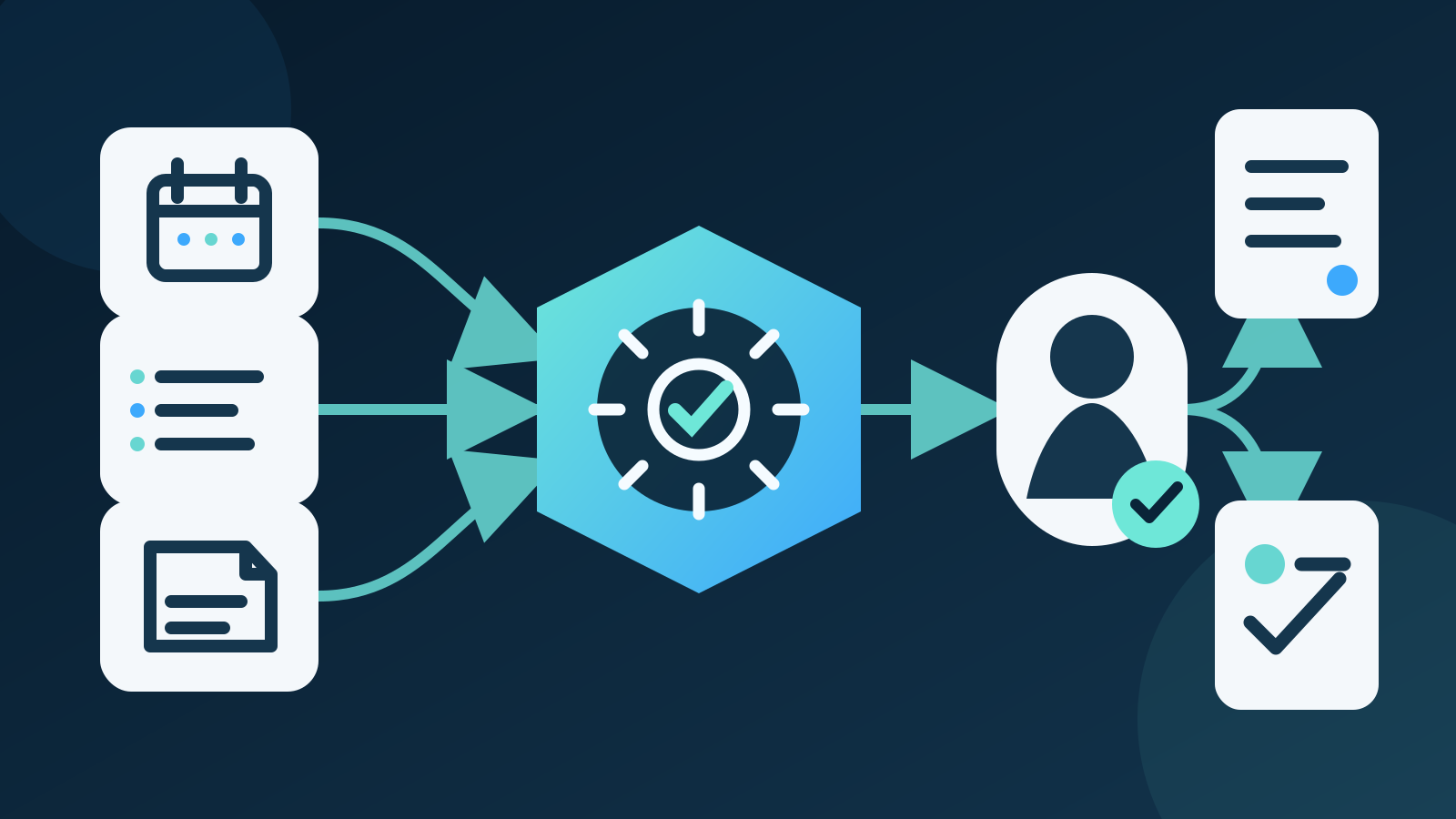
An AI executive assistant helps a business leader prepare for meetings, organise priorities, draft routine communication and track agreed actions. For most Australian businesses, the best first setup is a read-only daily briefing built from approved calendars, tasks and selected business information, with the executive approving every external message and material change.
It should reduce information-gathering work, not imitate executive authority. Keep confidential sources tightly restricted, separate drafting from sending and give decisions, commitments and people matters to a responsible person.
Key takeaways:
- Start with one briefing or follow-up workflow, not unrestricted access to an executive's digital life.
- Give the assistant only the information and actions required for that workflow.
- Keep people, financial, legal and strategic decisions with accountable humans.
- Require sources for facts, dates and commitments.
- Measure review time, material corrections and missed actions, not generated output.
Contents
- What is an AI executive assistant?
- What can an AI executive assistant do?
- How is it different from an AI administrative assistant?
- What is the best first executive workflow?
- Which tasks should remain human?
- How should you compare AI executive assistants?
- How do you protect confidential information?
- What can go wrong?
- How do you run a controlled pilot?
- How should you measure the result?
- When is an AI executive assistant the wrong choice?
- Where should an Australian business start?
- Frequently asked questions
What is an AI executive assistant?
An AI executive assistant is software that prepares information and routine work for a business leader. It may work inside email, calendar and meeting tools, or as a managed workflow connecting selected business systems.
Depending on its access, it can review an executive's schedule, summarise approved documents, prepare meeting briefs, draft messages and propose follow-up actions. It should not be treated as an executive, company officer or independent decision-maker.
The word "assistant" can hide several different products:
| Type | Main use | Typical access | Main limitation |
|---|---|---|---|
| Writing assistant | Draft and edit text | Material pasted by the user | Lacks business context and current records |
| Meeting assistant | Record, transcribe and summarise meetings | Calendar, audio and transcripts | Can misattribute speakers or miss commitments |
| Scheduling assistant | Find times and prepare bookings | Calendars and contact details | Cannot judge every relationship or priority |
| Executive briefing assistant | Combine approved updates into a daily or meeting brief | Selected calendars, tasks, documents and reports | May present stale or incomplete information confidently |
| Action assistant | Propose or carry out permitted follow-up steps | Email, tasks, CRM and other connected systems | Broad permissions can turn a small error into a real business action |
Australian search data for this guide found about 70 monthly searches for "AI executive assistant", with medium advertising competition and a reported cost per click of $9.57. Search results are dominated by tool lists. The more useful buying question is not which tool has the longest feature list. It is which narrow workflow can save reviewable time without handing over executive authority.
What can an AI executive assistant do?
The strongest uses collect information from known sources, prepare a clear draft and stop before a consequential action.
| Executive task | Useful AI contribution | Human responsibility |
|---|---|---|
| Daily planning | Combine calendar, task and deadline information | Set priorities and decide what can move |
| Meeting preparation | Summarise approved background, recent actions and open questions | Confirm context, sensitivities and desired outcome |
| Inbox review | Suggest categories, priority and draft replies | Check recipients, facts, tone and commitments |
| Meeting follow-up | Prepare decisions, actions, owners and due dates | Correct the record and approve distribution |
| Document review | Summarise a document and identify questions | Read material clauses and obtain qualified advice |
| Project updates | Combine status reports and highlight exceptions | Challenge assumptions and make trade-offs |
| Delegation | Draft a task with context, owner and date | Choose the right person and confirm authority |
| Travel preparation | Organise approved itinerary information | Approve bookings, cost and personal preferences |
A briefing assistant can be especially useful when information is scattered but predictable. It might collect today's meetings, overdue approved tasks, decisions awaiting the executive and changes since the previous brief. Each item should link to its source.
The assistant can also reduce switching between systems. That does not mean it needs full access to every system. A well-designed workflow often receives a small set of approved fields through read-only connections.
How is it different from an AI administrative assistant?
An AI executive assistant focuses on the information, preparation and follow-up surrounding a leader's priorities. An AI administrative assistant usually covers broader routine administration across a team, such as document handling, inbox triage, data entry and scheduling.
The two categories overlap. The practical difference is the sensitivity and consequence of the context.
An executive assistant may encounter board material, employee issues, commercial negotiations, legal advice, acquisition plans, customer disputes and security information. Even a routine calendar entry can reveal a confidential project or personal matter. The workflow therefore needs narrower access, stronger review and clearer exclusions than a general team assistant.
Our guide to an AI administrative assistant covers wider business administration. The AI email assistant guide explains draft-only inbox controls, while the AI scheduling assistant guide covers calendar permissions and booking rules.
Do not buy several overlapping assistants before defining the work. One controlled workflow may handle briefing, selected email drafts and action tracking without giving three vendors copies of the same executive information.
What is the best first executive workflow?
For most businesses, the best first workflow is a read-only morning or pre-meeting briefing from a small set of approved sources. It produces a draft for the executive and does not send messages, change calendars or update records.
A useful daily brief can contain:
- today's confirmed meetings and locations
- the purpose and approved background for each meeting
- open actions due today or overdue
- decisions waiting for the executive
- material changes from nominated business reports
- missing information that needs a person to resolve
Begin with two or three sources, such as one calendar, an approved task list and a project status folder. Define which fields the assistant may read. Exclude private appointments, employee records, legal folders and unrestricted inbox content unless there is a specific, approved reason to include them.
The brief should show source links and timestamps. If a project update is three weeks old, the assistant should say so instead of presenting it as current. If two sources disagree, it should show the conflict rather than choosing the more fluent answer.
Run the workflow beside the existing process. The executive or human assistant can compare completeness, accuracy and checking time for several weeks before any wider access is considered.
Which tasks should remain human?
Keep tasks human when they depend on authority, relationship judgement, empathy, confidential interpretation or a material commitment.
An AI executive assistant should not independently:
- hire, dismiss, assess or discipline a person
- accept a contract, price, deadline or scope change
- approve a payment, bank-detail change or financial forecast
- decide legal, tax, employment or regulatory matters
- send sensitive feedback or respond to a serious complaint
- disclose board, employee, customer or transaction information
- alter strategic priorities without explicit approval
- impersonate the executive in a way that misleads the recipient
A person should also handle exceptions. An assistant may know that a meeting can usually move, but not that a particular customer has already been rescheduled twice. It may see an overdue task without understanding that the owner is on leave. Context that exists only in a leader's judgement cannot be solved by a confident draft.
The Australian Government's guidance for AI adoption recommends assigning accountability for every AI system, assessing impacts, managing risk and keeping records. For an executive workflow, the accountable owner should be able to change access, inspect logs and stop the system.
How should you compare AI executive assistants?
Compare options against a written workflow and data map. A polished demonstration is not evidence that a product fits your calendars, documents, permissions or approval process.
| Criterion | Questions to ask |
|---|---|
| Workflow fit | Can it prepare the exact brief or follow-up your executive needs? |
| Source control | Can you select individual calendars, folders, projects or fields? |
| Permissions | Can reading, drafting, sending and record changes be granted separately? |
| Source evidence | Does every factual item link to the current source? |
| Data use | Is business information used to train models, and can that use be disabled? |
| Storage | Where are prompts, copies, outputs and logs held, and for how long? |
| Administration | Can an administrator review access, remove users and export activity logs? |
| Identity | Does an external recipient know when content is automated where that matters? |
| Failure handling | Does the assistant refuse, flag conflict and ask for review instead of guessing? |
| Portability | Can the business export its configurations, records and test results? |
| Cost | Does pricing include users, model use, connected systems, setup and support? |
For most Australian businesses, the best option is the one that supports narrow permissions, source-linked outputs and draft-only operation inside approved systems. A product with more autonomous actions is not better if the business cannot inspect or limit them.
Test with your own de-identified examples. Include cancelled meetings, duplicate names, old reports, private events, ambiguous deadlines and conflicting source records. Ask the vendor to show what the product does when evidence is missing.
How do you protect confidential information?
Treat executive information as a collection of different sensitivity levels, not one mailbox-shaped data set. Map what each workflow needs and exclude everything else.
The Office of the Australian Information Commissioner says privacy obligations apply to personal information entered into an AI system and AI output containing personal information. Its guidance calls for due diligence, privacy by design, human oversight and regular review. It recommends not entering personal information, particularly sensitive information, into publicly available generative AI tools as a matter of best practice.
Before connecting a system, record:
- the exact information the assistant can read
- why each data field is necessary
- which provider and model receive it
- where prompts, outputs, indexes and logs are stored
- whether the provider uses data for training
- who can view or administer the workflow
- how access changes when a staff member changes role
- how records are corrected, retained and deleted
- how the workflow handles a privacy request or security incident
Use separate service accounts where practical. Give them the minimum permissions required and avoid shared administrator credentials. Apply access controls before information reaches the model, not after a draft has already been generated.
Personal information is not the only concern. Board papers, commercial plans, customer contracts and security reports may be confidential even when they contain no personal information. Include contractual, intellectual property and security requirements in the review.
What can go wrong?
An executive assistant can produce an organised brief that is wrong in quiet, consequential ways. The main risks are stale sources, excessive access, mistaken identity, hidden assumptions and automatic actions.
Common failures include:
- combining two people with similar names
- presenting an old project update as current
- omitting a changed deadline from a later message
- summarising a proposal without an important qualification
- exposing a private calendar item in a shared brief
- drafting a commitment that exceeds the executive's authority
- following instructions hidden inside an email or document
- creating duplicate or incorrectly assigned tasks
- sending a draft to the wrong recipient
- continuing to use information after access was revoked
Build refusal and escalation into the workflow. Missing sources, conflicting dates, unusual recipients, external attachments and sensitive topics should stop the action and identify a reviewer.
Keep drafts visibly separate from approved decisions. A meeting summary may propose an action, but the record should show whether participants confirmed it. A generated task should not become evidence that the executive authorised the work.
How do you run a controlled pilot?
Run a four-week pilot on one briefing workflow. Keep it read-only and compare it with the existing preparation method.
- Define the brief. List its audience, sections, delivery time and excluded topics.
- Measure the baseline. Record preparation time, checking time, omissions and late actions.
- Map the sources. Name each approved calendar, task list, folder and field.
- Set permissions. Allow reading only, with no sending, booking or record changes.
- Prepare test cases. Include stale, missing, conflicting, private and ambiguous information.
- Set acceptance rules. Require correct facts, source links, timestamps and appropriate refusal.
- Run in parallel. Compare each AI brief with the existing process before relying on it.
- Record corrections. Separate material errors from wording preferences.
- Review access weekly. Confirm sources, users, logs and exclusions remain correct.
- Expand from evidence. Add one permission or source only after the original workflow meets its target.
Set stop conditions before launch. Pause the pilot if it exposes restricted information, invents a commitment, loses source links, acts without approval or continues using removed data.
If the briefing works, the next step might be draft-only follow-up. Do not jump directly from read-only summaries to sending email, moving meetings and editing business records. Each action needs its own test and approval boundary.
How should you measure the result?
Measure the full effort required to produce a reliable, usable brief. A fast first draft is not valuable if the executive spends longer finding and correcting errors.
| Measure | What it shows |
|---|---|
| Preparation minutes | Whether information gathering becomes faster |
| Review minutes | Whether the brief is easy to verify |
| Source coverage | Whether required approved sources were included |
| Material correction rate | How often facts, dates, owners or commitments were wrong |
| Omission rate | Whether expected meetings, decisions or actions were missing |
| Correct refusal rate | Whether uncertain or restricted requests stopped safely |
| Stale-information rate | Whether old records were identified correctly |
| Action completion | Whether approved follow-up happened on time |
| Access incidents | Whether information reached an unauthorised person or system |
| Operating cost | Software, model use, setup, review, maintenance and support |
Do not use the number of summaries, drafts or automated actions as the main success measure. Those figures reward activity rather than useful outcomes.
Track results by workflow. Meeting preparation may perform well while inbox prioritisation remains unreliable. Expand the successful use rather than averaging away the weak one.
The Australian Bureau of Statistics reported that 12% of Australian businesses used AI in 2024–25, up from 1% in 2021–22. Adoption is rising quickly, but the same ABS release found only 7% measured the contribution of digital activities to business performance. A pilot should define its measures before access expands.
When is an AI executive assistant the wrong choice?
An AI executive assistant is the wrong starting point when information is disorganised, permissions are unclear or no one has time to check the output.
Use a calendar rule, template or ordinary task list when the work is predictable. Improve meeting agendas and action ownership before adding AI if the current problem is poor management discipline. A human executive assistant remains the better fit for relationship-sensitive coordination, judgement, negotiation and confidential exceptions.
Avoid an AI pilot when the first proposed use involves unrestricted inbox access, employee performance material, board decisions, legal advice, payment authority or unsupervised external communication. Start elsewhere or redesign the workflow.
AI may also be unnecessary for a leader with low meeting volume and a simple information environment. The setup, review and security work can cost more than the administration it removes.
Where should an Australian business start?
Choose one daily or pre-meeting brief that currently takes measurable preparation time. List the minimum sources, remove sensitive information that is not required and prepare ten realistic test cases.
Keep the first version read-only. Require a source and timestamp for every factual item, compare it with the existing process for four weeks and record material corrections. Add drafting or action permissions only after the briefing is consistently useful and safe.
Deployed AI provides managed AI systems with scoped connections, testing, team training and ongoing Australian support. To assess one executive support workflow, book a free 30-minute AI audit.
Frequently asked questions
What does an AI executive assistant do?
An AI executive assistant prepares information and routine work for a business leader. It can organise approved calendar, task, document and meeting information into briefs or drafts, while a person retains responsibility for decisions, commitments and sensitive communication.
Can an AI executive assistant send emails and book meetings?
Some products can send emails and change calendars, but those permissions should not be enabled first. Start with read-only summaries or draft-only work, measure errors and add one narrowly defined action only after approval controls have been tested.
Can an AI executive assistant replace a human executive assistant?
No. It can reduce repetitive information gathering and drafting, but it cannot reliably replace relationship judgement, organisational knowledge, empathy, negotiation or executive authority. Many businesses will get better results by giving a human assistant controlled AI support.
Is it safe to connect AI to an executive's inbox?
It can be safe enough for a narrow, approved use, but unrestricted inbox access creates significant privacy, confidentiality and security risks. Limit access to the smallest practical scope, understand provider data handling, separate drafting from sending and monitor logs and permissions.
How much does an AI executive assistant cost?
Cost may include subscriptions, model usage, system connections, setup, security review, staff training, output checking and ongoing support. Compare the full cost with preparation and review time, material error rates, missed actions and the consequences of an access failure.