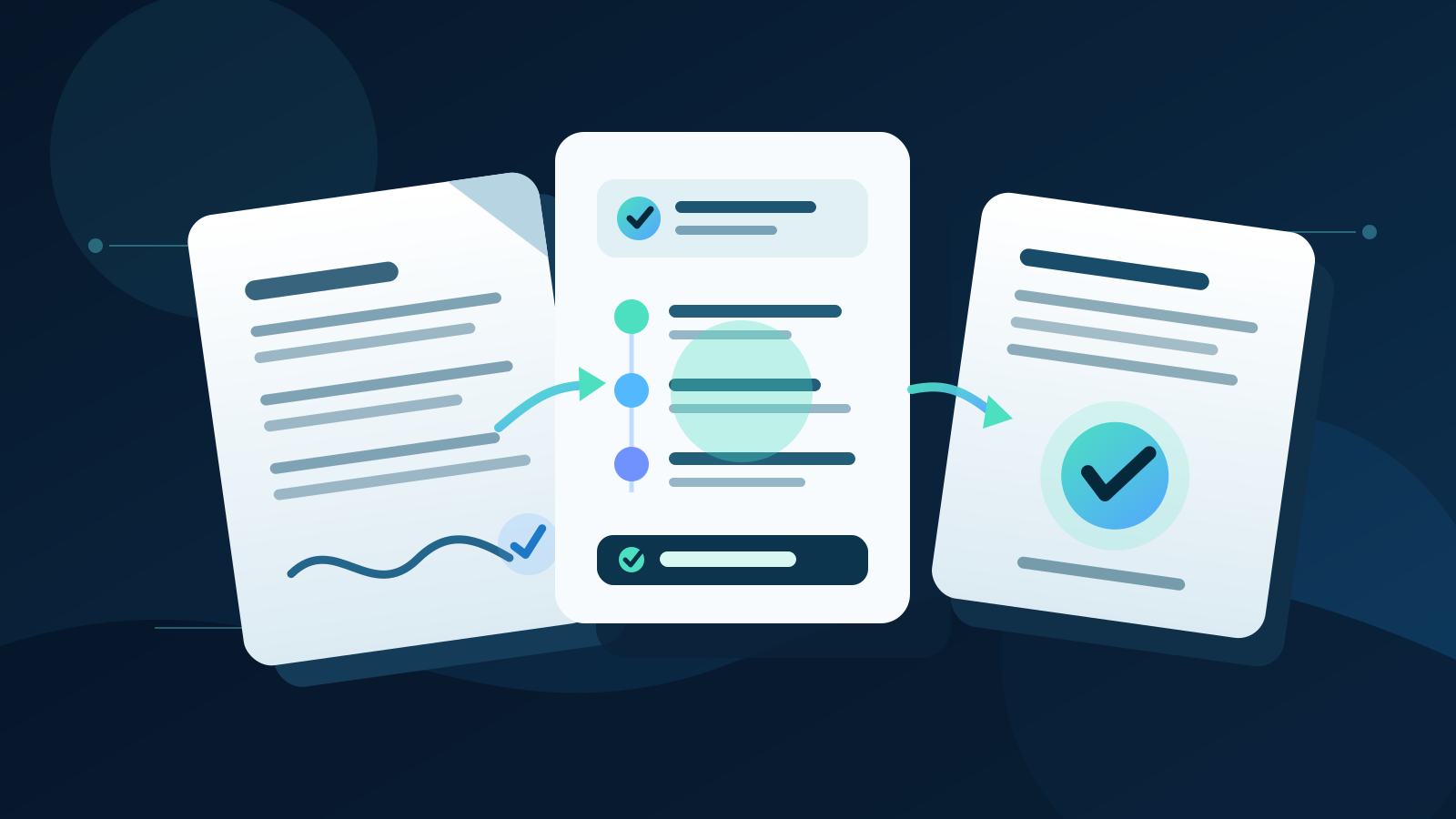
AI contract management uses artificial intelligence to extract key terms, compare documents, track obligations and prepare contract work for review. The best setup does not let AI approve terms or give legal advice. It gives an accountable person the source clause, proposed action and deadline so they can make a faster, better-informed decision.
For most Australian businesses, the strongest first use is a searchable contract register with automated date and obligation tracking. This solves a real operational problem without asking AI to negotiate or accept legal risk.
Key takeaways:
- Create one reliable contract register before adding advanced AI features.
- Require every extracted term and summary to link back to its source clause.
- Use rules for dates, values, approval limits and mandatory fields.
- Keep negotiation, interpretation, acceptance and exceptions under human control.
- Measure missed obligations, review time and correction rates, not documents processed.
Contents
- What is AI contract management?
- Which contract tasks can AI help with?
- What should remain under human control?
- What does a practical workflow look like?
- How should you build a contract register?
- How do you protect confidential information?
- How do you choose a system?
- How should you test a pilot?
- How do you measure the result?
- When is Deployed AI not the right fit?
- Frequently asked questions
What is AI contract management?
AI contract management is the use of artificial intelligence within the contract lifecycle, from intake and review through approval, signing, obligation tracking, renewal and closure. It is useful where contracts arrive in varied formats and people repeatedly search for the same dates, clauses and responsibilities.
The main difference between AI contract management and ordinary contract software is how each handles unstructured language. Normal software rules can calculate a notice date from a verified renewal date. AI can locate the likely renewal clause in a long document and prepare the fields for review.
A controlled system combines both:
| Contract stage | Useful AI role | Required control |
|---|---|---|
| Intake | Identify document type, parties and likely owner | Confirm the document belongs in the register |
| Review preparation | Extract dates, values, clauses and obligations | Link every field to the source wording |
| Comparison | Show differences from an approved template or prior version | A qualified person assesses legal and commercial effect |
| Approval | Prepare a summary and route it to the right approver | Apply fixed approval limits and named authority |
| Signing | Check that required approvals and fields are present | Use an approved signing process and authorised signatory |
| Obligation tracking | Create reminders, tasks and evidence requests | A contract owner confirms completion |
| Renewal or closure | Surface notice periods, open obligations and options | A person decides whether to renew, renegotiate or exit |
AI should reduce searching and repeated copying. It should not obscure who made a decision or turn a generated summary into the legal record.
Which contract tasks can AI help with?
AI is strongest at preparing contract work that a person can verify against the original document. Start with a frequent task that has a clear expected output and a safe fallback.
Classifying incoming documents
A system can identify whether an uploaded file appears to be a customer agreement, supplier contract, confidentiality agreement, lease or variation. It can then suggest the correct register, owner and review path.
Classification should remain a suggestion until the document is checked. A variation may look like a short letter but materially change a larger agreement.
Extracting key terms
AI can prepare fields such as:
- contracting parties and legal entity names
- commencement, expiry and notice dates
- contract value and payment schedule
- service levels and reporting duties
- insurance, privacy and security requirements
- renewal, variation and termination terms
- named owners and approval requirements
Each field needs a source reference. If the term is unclear, missing or spread across several documents, the system should flag uncertainty rather than invent a clean answer.
Comparing drafts and templates
AI can compare a draft with an approved template and group changes by topic. It can show that the liability, payment, termination or data-handling wording differs, then route the change to the right reviewer.
The safe output is a change report, not a verdict that a clause is acceptable. Meaning depends on the whole agreement, surrounding facts and the business's risk position.
Preparing summaries
A concise contract summary can help finance, sales, delivery and operations understand what they need to do. The summary should distinguish between exact extracted terms, generated explanations and unresolved questions.
Use role-specific views. Finance may need payment and indexation terms, while delivery needs scope, milestones and service levels. Giving everyone the full agreement can create unnecessary access to confidential information.
Tracking obligations and dates
Once terms are verified, the system can create reminders and tasks for notice dates, reviews, certificates, reports and deliverables. Rules should calculate deadlines from approved fields rather than from fresh AI interpretation each time.
This is where many businesses gain practical value. The system turns a static file into owned work with dates, evidence and escalation.
What should remain under human control?
Keep legal interpretation, negotiation, acceptance and high-impact exceptions under human control. AI may organise evidence and prepare options, but it should not commit the business.
| Decision or action | Why a person should control it |
|---|---|
| Accepting or rejecting wording | The effect depends on law, context and business appetite |
| Giving legal advice | Generated text may be incomplete, wrong or outside the relevant jurisdiction |
| Negotiating material terms | Price, liability, scope and remedies require authority and judgement |
| Signing or approving a contract | Only authorised people can commit the business |
| Changing bank or payment details | Fraudulent instructions can resemble routine contract changes |
| Waiving an obligation or deadline | The decision may affect rights, evidence and future enforcement |
| Overriding a failed check | Exceptions need authority, reasons and a record |
| Deciding a dispute response | The business may need legal advice and a controlled communications plan |
Human review must be meaningful. Show the original clause, related documents, proposed field or action, confidence or uncertainty, and the rule that triggered escalation.
Do not ask a reviewer to approve a generic summary without access to the source. A fast approval screen is useful only when it preserves the information needed for a responsible decision.
What does a practical workflow look like?
A practical AI contract management workflow begins when a contract or variation enters the business. It ends when verified information, obligations and decisions are recorded against a responsible owner.
- Receive the document. Accept files only from approved sources such as a controlled inbox, deal record or supplier portal.
- Run file and access checks. Confirm file type, ownership, permissions and any malware controls before processing.
- Classify the contract. Suggest the contract type, business owner, counterparty and review path.
- Extract terms with citations. Prepare structured fields and link each one to its page, clause or exact wording.
- Apply fixed rules. Check mandatory fields, approval limits, dates, duplicate records and required reviewers.
- Compare approved references. Highlight differences from the current template, playbook or previous version.
- Route for review. Send the source, change report and unresolved questions to the named approver or adviser.
- Record the decision. Store who approved what, when they acted and which version they reviewed.
- Create owned obligations. Turn verified dates and commitments into tasks, reminders and evidence requirements.
- Monitor until closure. Escalate overdue work, record amendments and complete a final obligations check before archiving.
Run the first version in draft-only mode. Staff should review every extraction and task before anything changes in a live system. This reveals poor document naming, missing owners and inconsistent templates without creating new contract risk.
This workflow is narrower than general AI workflow automation. The contract use case needs stronger version control, source traceability and authority checks because the documents can create binding commitments.
How should you build a contract register?
Build the contract register before asking AI to answer broad questions across documents. The register gives the system a verified set of facts, owners and dates.
Start with fields that support a real decision or obligation:
| Register field | Why it matters |
|---|---|
| Contract and version ID | Prevents staff reviewing or acting on the wrong file |
| Legal entities | Shows which organisations are actually bound |
| Business owner | Names the person accountable for performance |
| Contract type and status | Controls the review and retention path |
| Start, end and notice dates | Supports renewal and exit decisions |
| Value and payment basis | Routes financial approval and monitoring |
| Key obligations | Turns commitments into owned work |
| Data and security terms | Triggers privacy, technology or security review |
| Approval record | Shows authority, date and reviewed version |
| Source links | Lets every user verify the original wording |
Do not import thousands of old documents and assume AI will clean them perfectly. Start with active, higher-value or frequently used agreements. Resolve duplicates and amendments as you go.
Define which record wins when sources conflict. A signed variation may override the original agreement, while an email summary may not. That priority must come from the business's approved process, not from the model.
How do you protect confidential information?
Protect contract information by limiting collection, access, processing and retention. Contracts may contain personal information, pricing, intellectual property, security details and commercially sensitive obligations.
The Australian Bureau of Statistics reported that 12% of Australian businesses used AI in 2024–25, up from 1% in 2021–22. The same release reported that 21% experienced a cyber security incident during 2024–25. Connecting AI to a contract repository can increase the value of the system, but it also makes permissions and monitoring more important.
Use these controls from the pilot:
- give the workflow access only to the contracts and fields it needs
- separate read, extract, draft, update and send permissions
- use a dedicated service identity rather than a staff member's account
- restrict outputs by role, contract and legal entity
- keep signed originals and approved versions read-only
- log source access, generated outputs, approvals and completed actions
- define retention for uploaded files, prompts, outputs and logs
- test access removal, failed integrations and the emergency stop process
Ask providers where data is processed, how long it is retained, whether it is used to improve models, which subcontractors are involved and how deletion works. Match those answers to your privacy, confidentiality, customer and regulatory obligations.
Do not paste complete agreements into an unapproved general AI account. If the system will process personal information or sensitive commercial material, complete the relevant privacy, security and legal review before connection.
How do you choose a system?
Choose the system that fits your contract volume, risk, existing repository and review process. A large feature list does not compensate for weak source citations or permissions.
| Criterion | What to verify |
|---|---|
| Source traceability | Every field and summary can be checked against the exact document |
| Version control | Users can see the signed version, amendments and current effective terms |
| Extraction quality | The system handles your real formats, scans, tables and clause styles |
| Approval routing | Value, risk and contract type send work to the right authorised person |
| Permissions | Access can be restricted by role, entity, contract and action |
| Integrations | Required document, CRM, procurement, finance and task connections are maintained |
| Data handling | Processing, retention, training and deletion terms are clear |
| Failure handling | Missing pages, unreadable files and conflicting terms stop safely |
| Audit history | The business can reconstruct sources, versions, decisions and actions |
| Full cost | Setup, migration, usage, review, support and maintenance are included |
For most small and mid-sized businesses, the best option is not the most advanced contract platform. It is the smallest controlled system that creates one reliable register, tracks important dates and gives reviewers source-linked information.
Use existing contract software features if they already solve the problem. Add custom AI only where varied documents, repeated extraction or cross-system hand-offs create enough work to justify ongoing testing and maintenance.
Contract intake may also connect with AI procurement workflows, but keep supplier selection and contract acceptance as separate approval decisions.
How should you test a pilot?
Test with saved, de-identified or appropriately protected contracts before using a live agreement. Include straightforward documents, amendments, scans, missing pages and conflicting terms.
A useful test set includes:
- a current signed agreement with standard wording
- a contract with handwritten or scanned sections
- an agreement plus one or more variations
- a missing schedule referenced by the main document
- conflicting dates in the cover page and clauses
- a changed bank account or payment instruction
- a clause that falls outside the approved playbook
For each case, define the expected document type, fields, source clauses, owner, stop conditions and review path. Score every important field separately. A polished summary can hide one wrong renewal date.
Run the workflow in draft-only mode and classify errors by cause. Common causes include poor scans, missing attachments, ambiguous wording, incorrect version order and an out-of-date template.
Do not expand because the average accuracy looks good. Set a stricter standard for high-impact fields and require a safe stop when the system cannot meet it.
How do you measure the result?
Measure whether the business finds, reviews and fulfils contract commitments more reliably. Document count and generated summaries are activity measures, not business outcomes.
Track a small set of operational measures:
| Measure | What it shows |
|---|---|
| Register completeness | The share of active contracts with verified required fields |
| First-pass extraction accuracy | Fields accepted without correction |
| Review preparation time | Staff time used to find terms and prepare a review |
| Missed notice dates | Failures to act before renewal, termination or review deadlines |
| Overdue obligations | Commitments without completed evidence by the due date |
| Exception rate | Contracts that need specialist or senior review |
| Correction cause | Whether errors come from files, rules, integrations or AI output |
| Approval turnaround | Time from complete review pack to authorised decision |
| Control failures | Wrong access, version, field, task or unauthorised action |
Record a baseline before the pilot. Include staff checking time, migration work, software usage and ongoing maintenance in the cost.
A successful system may increase visible exceptions at first because it finds missing documents and unowned obligations. That is useful if the business resolves them and the rate falls over time.
When is Deployed AI not the right fit?
Deployed AI is not the right fit when the business has only a handful of active contracts, the existing contract platform already provides reliable extraction and reminders, or no one owns contract decisions and obligations.
A clean shared register, consistent naming and calendar reminders may solve the immediate problem with less cost. Legal advice should come from an appropriately qualified adviser, not an automation provider or generated summary.
Deployed AI provides managed AI systems that connect with selected business tools, with setup, team training and ongoing Australian support. If repeated contract administration is creating missed dates or slow reviews, book a free 30-minute AI audit to identify the smallest useful pilot.
Frequently asked questions
What is AI contract management?
AI contract management uses artificial intelligence to classify agreements, extract terms, compare versions, prepare summaries and support obligation tracking. A controlled system keeps the original contract as the source of truth and routes legal, commercial and approval decisions to authorised people.
Can AI review contracts in Australia?
AI can prepare a contract review by locating clauses, comparing wording and identifying questions, but its output is not a substitute for legal advice. A qualified and authorised person should assess legal meaning, risk and acceptance in the relevant context.
What is the best first AI contract management use case?
The best first use case is usually extracting verified dates, owners and obligations into a searchable register. It creates practical value, is easy to test against source clauses and supports reminders without allowing AI to approve or change a contract.
How accurate is AI contract extraction?
There is no reliable universal accuracy rate because results depend on document quality, clause types, models and the fields being measured. Test the system on your own contracts, score each important field and require a safe stop when a source is missing or unclear.
Do small businesses need contract management software?
A small business with few contracts may only need a controlled register, consistent file storage and reminders. Dedicated software becomes more useful as contract volume, amendments, approval paths and obligations grow beyond what staff can track reliably.