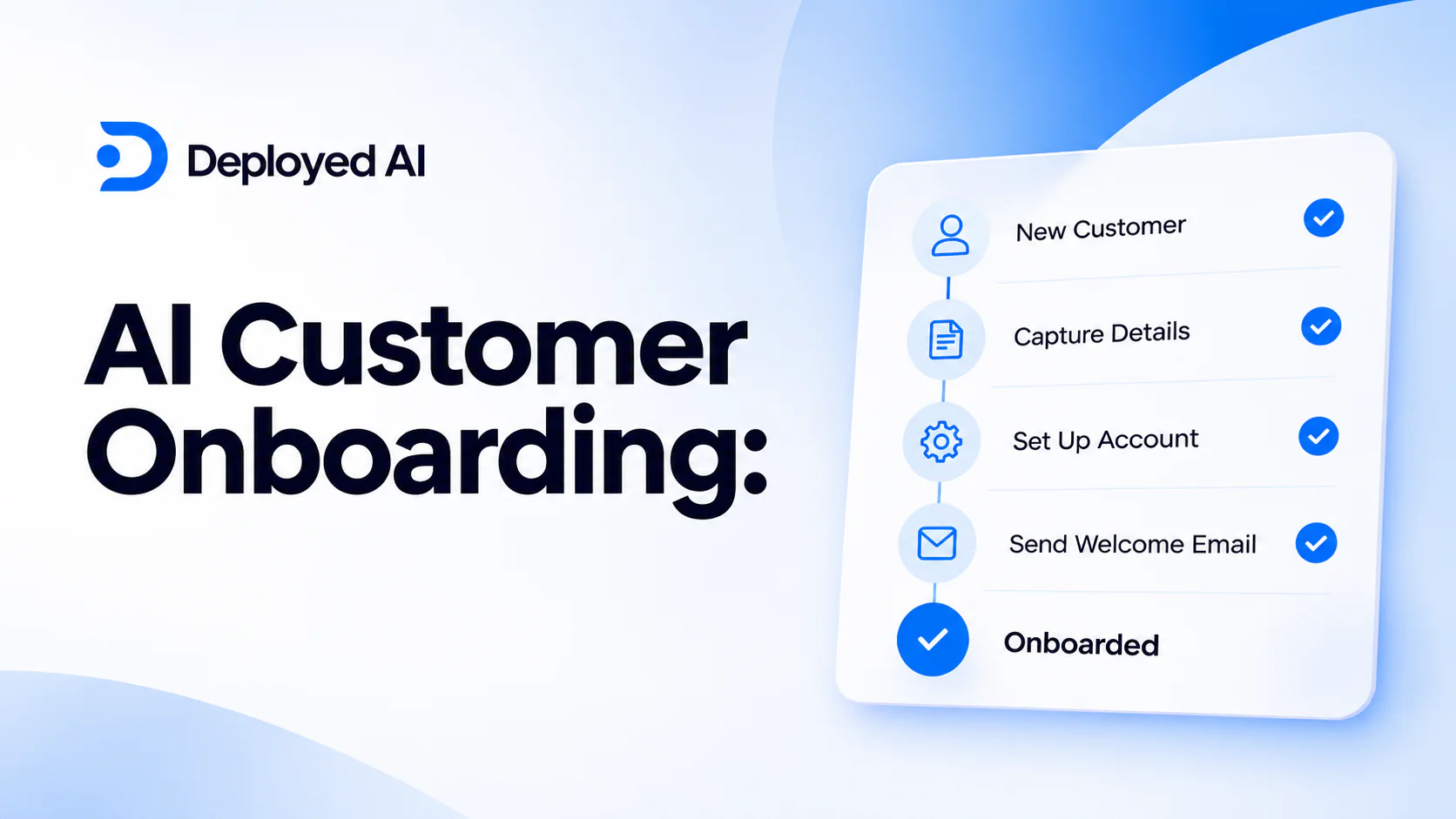
AI customer onboarding uses artificial intelligence to collect and check customer information, prepare accounts, personalise guidance and coordinate internal hand-offs. The best setup automates routine preparation while staff approve access, commitments and exceptions. For most Australian businesses, a controlled workflow is safer and more useful than a fully automated onboarding agent.
A good onboarding system should help a customer reach their first useful outcome with less waiting and repetition. It should not ask for unnecessary information, guess when records conflict or hide responsibility behind a chatbot.
Key takeaways:
- Map the onboarding process before choosing software.
- Use AI for variable work such as document extraction, classification and drafting.
- Use rules for required fields, eligibility, dates and access levels.
- Keep identity, contract, payment and account-access decisions under human control.
- Measure completed onboarding, corrections and time to first value, not messages sent.
Contents
- What is AI customer onboarding?
- Which onboarding tasks can AI handle?
- What should remain under human control?
- What does a practical onboarding workflow look like?
- How do you protect customer information?
- How do you choose an AI onboarding system?
- How should you test a pilot?
- How do you measure customer onboarding?
- What mistakes should you avoid?
- When is Deployed AI not the right fit?
- Frequently asked questions
What is AI customer onboarding?
AI customer onboarding is a workflow that helps move a new customer from agreement to active use. It can read supplied information, classify the onboarding path, identify missing details, prepare records and draft relevant guidance.
The main difference between AI onboarding and ordinary automation is how each handles variation. Normal rules are reliable for exact checks such as required fields, dates and access levels. AI is useful when information arrives in emails, documents or free-text forms and needs interpretation.
A complete onboarding workflow usually includes:
| Stage | Useful AI role | Required control |
|---|---|---|
| Information intake | Extract details from forms, emails and documents | Show the source for every extracted field |
| Completeness check | Identify missing or conflicting information | Apply fixed rules for mandatory fields |
| Path selection | Classify customer type and likely onboarding needs | Staff approve unusual or high-impact paths |
| Account preparation | Draft CRM records, tasks and account settings | Restrict write access and require approval |
| Customer guidance | Draft a relevant welcome message and next steps | Use approved content and contact details |
| Internal hand-off | Summarise the agreement, needs and open items | Route to a named owner with deadlines |
| Follow-up | Detect incomplete steps and prepare reminders | Limit frequency and provide human escalation |
The goal is not to remove people from the relationship. It is to reduce repeated administration so staff can answer questions, resolve exceptions and help the customer get value sooner.
Which onboarding tasks can AI handle?
AI is strongest at preparing work that a person or fixed rule can check. Start with one task that occurs often, uses accessible information and has a clear correct outcome.
Collecting and organising information
An onboarding assistant can turn a completed form, email thread and supplied documents into a structured summary. It can place each field beside its source and flag anything missing.
This helps when customers use different wording or document layouts. The workflow should never invent a value to complete a record. Missing information must stay visibly missing.
Choosing the relevant onboarding path
Customers may need different steps based on the product, service, location, team size or agreed scope. AI can suggest a path from approved criteria, then explain which information affected the choice.
Use normal software rules where the condition is exact. If a signed agreement identifies a service tier, the system should read that field rather than infer the tier from an email.
Preparing customer and internal records
AI can draft a CRM note, implementation brief, task list and meeting agenda from the same approved source material. This reduces repeated copying and keeps the hand-off consistent.
Drafting is safer than unrestricted updates. A staff member should review important fields before records, permissions or delivery dates become active.
Personalising guidance
A useful welcome message tells the customer what happens next, what they need to provide and who owns each step. AI can select approved instructions and adjust the order to the customer’s onboarding path.
Personalisation should clarify the process, not make unsupported assumptions. Avoid generated promises about delivery, outcomes or features that are not in the signed scope.
Following up incomplete steps
AI can identify when a required step is overdue and prepare a reminder that names the missing item. It can also alert the owner when repeated reminders have not worked.
Set contact limits and escalation rules. A customer with a genuine blocker needs a person, not another automated message.
What should remain under human control?
Keep decisions with material customer, financial, legal, privacy or security consequences under human control. AI may prepare the evidence and a draft, but an accountable person should approve the action.
| Decision or action | Why a person should control it |
|---|---|
| Confirming customer identity | A wrong match can expose an account or personal information |
| Accepting contracts or changed scope | Generated text cannot create unauthorised commitments |
| Setting account permissions | Excess access can create security and privacy risks |
| Changing payment details | Fraud and misdirection can look like routine requests |
| Rejecting or delaying a customer | The decision may require context, fairness and explanation |
| Handling complaints or distress | The customer needs judgement and a responsible contact |
| Overriding a failed check | Exceptions need evidence, authority and a recorded reason |
Human approval should be specific. A reviewer needs to see the source information, proposed action, rule results and unresolved issues. A generic approval button without context does not create meaningful oversight.
What does a practical onboarding workflow look like?
A practical AI customer onboarding workflow starts after the business has a valid customer agreement or confirmed order. It ends when the customer has the right access, guidance and owner.
- Receive the onboarding trigger. A signed agreement, confirmed order or approved internal record starts the process.
- Gather approved sources. The workflow reads only the relevant agreement, form, email and customer record.
- Extract and cite details. AI prepares structured fields with links or references to the original source.
- Run fixed checks. Rules test mandatory information, duplicates, dates, scope and required approvals.
- Choose the onboarding path. AI proposes the relevant sequence and flags uncertainty.
- Prepare work in draft. The system creates draft records, tasks, guidance and meeting notes.
- Ask for approval. A named staff member reviews access, commitments and exceptions.
- Complete approved actions. The workflow updates selected systems and records who approved each action.
- Monitor progress. Missing steps are followed up within set contact limits, then escalated.
- Close and review. The owner confirms the first useful outcome and records corrections or delays.
For most businesses, the strongest first version covers steps two to seven and stops before live system changes. Draft-only operation reveals data and process problems without exposing customers to them.
This is a narrower use case than AI customer service automation. Customer service responds to ongoing enquiries. Onboarding coordinates the defined work needed to activate a new customer.
How do you protect customer information?
Protect customer information by collecting only what the onboarding process needs, restricting who and what can access it, and setting clear retention rules. AI does not remove existing privacy and security responsibilities.
The Australian Bureau of Statistics reported that 12% of Australian businesses used AI in 2024–25, up from 1% in 2021–22. The same survey found that 21% of businesses experienced a cyber security incident during 2024–25. Adoption is growing, but connecting AI to customer systems makes access design and monitoring more important, not less.
Use these controls from the pilot:
- collect the minimum information required for the selected onboarding path
- separate read, draft, update and send permissions
- use a dedicated service identity rather than a staff member’s account
- hide or remove sensitive fields that the workflow does not need
- restrict source material by customer and role
- log source access, proposed changes, approvals and completed actions
- define how long inputs, outputs and logs are retained
- test access removal and the emergency stop process
Ask providers where customer data is processed, whether it is retained, whether it is used to improve models, which subcontractors are involved and how deletion works. Record the answer against your own obligations and contracts.
Do not paste identity documents, financial details or full customer files into an unapproved general AI account. If the workflow needs sensitive information, complete a privacy and security review before connection.
How do you choose an AI onboarding system?
Choose the system that fits the actual workflow, existing tools and controls. A long feature list matters less than reliable source handling, permissions, approvals and monitoring.
| Criterion | What to verify |
|---|---|
| Workflow fit | It handles your trigger, customer paths, exceptions and outcome |
| Source traceability | Every extracted or generated detail can be checked against a source |
| System connections | Required CRM, document, task and messaging connections are maintained |
| Permission design | Read, draft, update and send access can be separated |
| Approval experience | Reviewers see the source, checks, proposed action and uncertainty |
| Data handling | Processing, retention, model training and deletion terms are clear |
| Failure handling | Missing data and unavailable systems stop safely |
| Monitoring | The owner can see failures by customer, step and reason |
| Portability | Records, mappings, prompts and logs can be exported |
| Full cost | Setup, usage, staff review, support and maintenance are included |
For most established Australian businesses, the best option is a connected workflow built around existing customer systems, with draft-first operation and explicit approval. A standalone onboarding chatbot may be easier to buy, but it often creates another place for staff and customers to copy information.
Use a standard product feature instead if it already performs the required steps reliably. Custom AI is justified when varied documents, messages or customer paths create work that fixed forms and rules cannot handle well.
Our guide to AI workflow automation explains how to map triggers, sources, permissions and exception paths before selecting software.
How should you test a pilot?
Test an AI onboarding pilot with saved, de-identified cases before it touches a live customer. Include ordinary cases, incomplete information, contradictions and prohibited actions.
A useful test set includes:
- a complete and straightforward customer
- a required field missing from the form
- conflicting information across two sources
- a duplicate customer record
- an unsupported product or service request
- a request to change payment or access details
- an unavailable connected system
For each case, write the expected fields, path, stop conditions and approved action. Score the whole outcome rather than the fluency of the generated message.
Run the workflow in draft-only mode first. Review every result, classify corrections by cause and fix repeated source or rule problems. Expand to a small customer group only after the workflow meets the agreed standard and staff can handle every exception path.
How do you measure customer onboarding?
Measure whether customers complete onboarding correctly and reach their first useful outcome sooner. Do not treat message volume, generated words or reduced staff contact as proof of success.
Track a small set of operational measures:
| Measure | What it shows |
|---|---|
| Onboarding completion rate | The share of started customers who finish required steps |
| Time to first value | How long it takes to reach the first useful customer outcome |
| First-pass accuracy | Records completed without staff correction |
| Missing-information rate | Where forms, instructions or sales hand-offs are weak |
| Exception rate | The share of cases that need human resolution |
| Staff handling time | Time spent preparing, checking and correcting each case |
| Customer effort | Repeated questions, uploads or contacts needed to finish |
| Control failures | Incorrect access, messages, records or unauthorised actions |
Record a baseline before the pilot. Compare like-for-like customer types and include staff review time, software costs and correction work.
A fast onboarding process is not successful if it creates wrong permissions, duplicate records or confused customers. Correct completion comes first. Speed is valuable after the workflow is reliable.
What mistakes should you avoid?
The most common mistake is automating the visible welcome message while leaving the underlying hand-offs unclear. A polished email cannot compensate for missing ownership, poor records or uncertain scope.
Avoid these failure patterns:
- starting before sales, delivery and support agree on the hand-off
- asking AI to infer terms that should come from the agreement
- collecting information because it may be useful later
- letting one identity read and change every customer record
- sending reminders without frequency limits or escalation
- approving work without seeing sources and unresolved checks
- measuring speed while ignoring corrections and customer effort
- launching every onboarding path before one path works reliably
Do not automate a process that changes for every customer because the business has not defined its service. Document the minimum standard, owners and exception rules first.
When is Deployed AI not the right fit?
Deployed AI is not the right fit when your existing CRM or product already provides a reliable onboarding workflow, when onboarding occurs only a few times each year, or when no one owns the process.
A checklist, improved form or standard software configuration may solve the problem with less cost and maintenance. Clean those foundations before adding AI.
Deployed AI provides managed AI systems that connect with selected business tools, with setup, team training and ongoing Australian support. If repeated onboarding administration is delaying customers, book a free 30-minute AI audit to identify the smallest useful pilot.
Frequently asked questions
What is AI customer onboarding?
AI customer onboarding uses artificial intelligence to collect and organise supplied information, prepare customer records, tailor guidance and coordinate internal hand-offs. The strongest systems combine AI for variable inputs with fixed rules, restricted permissions and human approval for consequential actions.
Can AI fully automate customer onboarding?
AI can automate routine preparation and low-risk follow-up, but full automation is rarely the best first design. Identity, contracts, payments, account access and exceptions should remain under human control until the business has strong evidence and appropriate safeguards.
What is the best first AI onboarding task?
The best first task is usually extracting supplied information into a structured draft and identifying missing fields. The output is easy to compare with its source, the action is reversible and staff can learn where the current onboarding process creates avoidable work.
How long should an AI onboarding pilot take?
A narrow pilot can often be designed, tested and observed over several weeks, but there is no reliable universal timeframe. The schedule depends on process clarity, source quality, integration access, privacy review, test coverage and the number of customer paths.
How do you know whether AI onboarding is working?
Compare completion rate, time to first value, first-pass accuracy, exception rate, staff handling time, customer effort and control failures with the previous process. A successful workflow completes more cases correctly without increasing customer risk or hidden correction work.